
TL;DR: You can create a direct Google review link in about 30 seconds from your Google Business Profile. Copy the link, share it with customers via email, text, or your website, and watch your reviews grow. More reviews mean better local SEO rankings and more trust with potential customers.
The problem is that most customers won’t leave a review unless you make it easy. A direct link to your Google review page removes the friction. Instead of asking someone to search for your business, find the right profile, and figure out where to click, you hand them a one-click shortcut.
In this article, we’ll walk through how to create that link, why reviews matter for local SEO, how to handle negative reviews, and where to share your link for maximum impact.
How to Create a Direct Link to Your Google Reviews
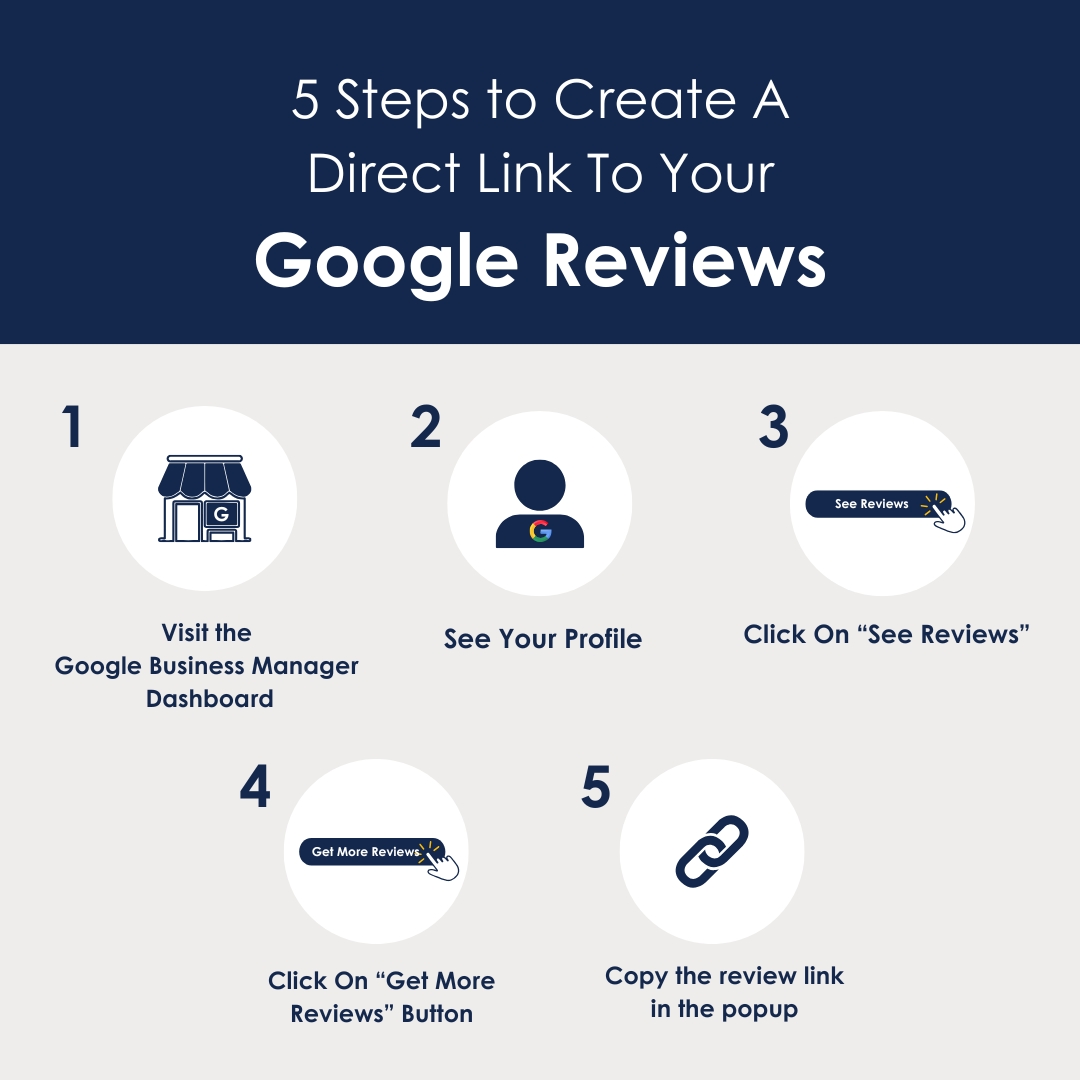
1. Open Google Business Profile Manager
Go to business.google.com and sign in with the Google account that manages your business listing.
2. Select Your Business
If you manage more than one listing, choose the business you want to generate a review link for.
3. Click “Ask for Reviews”
In your Business Profile dashboard, look for the “Ask for reviews” button. Google may also label this “Get more reviews” depending on your interface version.
4. Copy Your Review Link
A popup will display your unique review link. Click “Copy” to save it to your clipboard. This is your direct link. Anyone who clicks it will land directly on your Google review form.
5. Share It Everywhere
Paste the link in follow-up emails, text messages, invoices, your website, email signatures, and anywhere else your customers interact with your business.
Watch: How to grab your Google review link in 30 seconds
Why Are Google Reviews Important?
Trust and Credibility
Consumers trust online reviews as much as personal recommendations. A steady stream of positive reviews signals to potential customers that your business delivers. Without them, you’re asking people to take a leap of faith.
Local Search Rankings
Google’s local ranking algorithm weighs review quantity, quality, and recency. Businesses with a consistent flow of recent reviews rank higher in the Local 3-Pack and Maps results. Reviews that include relevant keywords give you an additional ranking boost.
Customer Engagement
Responding to reviews, especially negative ones, shows you’re paying attention. Studies show that consumers are significantly more likely to choose a business that responds to all its reviews. It signals a proactive approach to customer service.
Purchase Decisions
Reviews are social proof. When potential customers see consistent positive feedback, they feel more confident choosing you. On the flip side, a lack of reviews or a low rating can send them straight to a competitor.
Business Intelligence
Reviews tell you what you’re doing well and where you’re falling short. Patterns in feedback highlight strengths to double down on and weaknesses to fix before they cost you more business.
Can Google Reviews Be Removed?
What Qualifies for Removal
Google will consider removing reviews that contain hate speech or offensive language, confidential or personal information, fake content from non-customers or competitors, self-promotional content or review exchanges, and irrelevant content unrelated to an actual experience with your business.
How to Request Removal
- Log in to your Google Business Profile
- Find the review on your profile
- Click the three-dot menu next to the review and select “Report review”
- Provide details about the violation and submit
Google’s team will review your report and decide whether to remove it. This can take days to weeks, and there’s no guarantee of removal unless it’s a clear policy violation.
When Removal Isn’t an Option
If the review doesn’t violate Google’s guidelines, your best move is a professional, thoughtful response. Addressing the customer’s concerns publicly shows future customers how you handle problems. That response often matters more than the review itself.
Important: Never try to manipulate reviews by submitting fake reports or using third-party services to remove legitimate reviews. Google penalizes this, and you could lose access to your Business Profile entirely.
How to Respond to Google Reviews
Hi [FIRST NAME],
Thank you for bringing this to our attention. We apologize for the inconvenience caused by [PROBLEM] and understand how frustrating it must have been. Your feedback is invaluable, and we’d love the chance to resolve the issue. Please reach out to us at [CONTACT INFO].
We’re committed to delivering excellent service and ensuring your satisfaction. As a token of appreciation, we’d like to offer you [OFFER].
Sincerely, [OWNER NAME]
Key elements: thank the customer, acknowledge the issue and apologize, empathize, take the conversation offline, and offer a reasonable remedy.
Comment from [OWNER NAME] of [COMPANY NAME]
Resolved
We connected with [CLIENT NAME] to address the issue and implemented changes to prevent it from happening again. As a thank you, we provided a small token of appreciation for their time and patience.
We’re grateful to [CLIENT NAME] for highlighting this concern and working with us toward a solution.
Sincerely, [OWNER NAME]
Key elements: update the status to resolved, explain actions taken, show appreciation by name, and highlight excellent customer service.
Comment from [OWNER NAME] of [COMPANY NAME] Plumbing, Heating & Air
“This feedback is completely untrue. Unfortunately, some clients have unrealistic expectations. It would be helpful if other businesses were aware of this customer’s attitude.”
This response is defensive, belittles the customer, and makes the business look worse than the original review did. Never take an offensive approach, avoid belittling the customer, and don’t make unsavory jokes or comments.
